Hardening Authentication
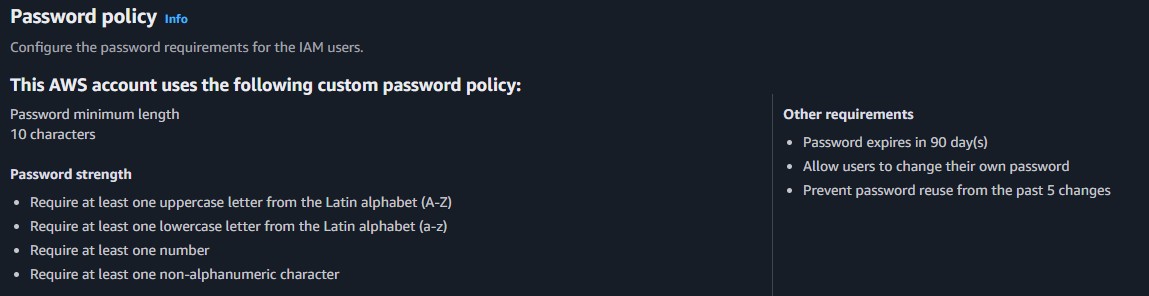
Upgraded the account password posture by enacting stricter policies requiring lengthier and more complex strings to hinder brute-force attacks.
This lab explores the core concepts of AWS IAM. Discover how to create and enforce account-wide password policies, organize resources utilizing user groups and policies, and enforce least-privilege permissions through practical testing.
Configured an IAM password policy, analyzed managed and inline JSON policies, attached users to logical User Groups, and systematically tested positive/negative authorizations.
Upgraded the account password posture by enacting stricter policies requiring lengthier and more complex strings to hinder brute-force attacks.
Authenticated as three separate users representing distinct roles (S3 Support, EC2 Support, and EC2 Admin) to validate that each identity was explicitly denied capabilities beyond their provisioned scope.
Detailed documentation of creating security policies and testing IAM roles.
Managed: AmazonEC2ReadOnlyAccess
{
  "Version": "2012-10-17",
  "Statement": [
    {
      "Effect": "Allow",
      "Action": [
        "ec2:Describe*",
        "ec2:GetSecurityGroupsForVpc"
      ],
      "Resource": "*"
    },
    ...
  ]
}Managed: AmazonS3ReadOnlyAccess
{
  "Version": "2012-10-17",
  "Statement": [
    {
      "Effect": "Allow",
      "Action": [
        "s3:Get*",
        "s3:List*",
        ...
      ],
      "Resource": "*"
    }
  ]
}Customer Inline Policy
{
  "Version": "2012-10-17",
  "Statement": [
    {
      "Action": [
        "ec2:Describe*",
        "ec2:StartInstances",
        "ec2:StopInstances"
      ],
      "Resource": ["*"],
      "Effect": "Allow"
    }
  ]
}S3-Support group.EC2-Support group.EC2-Admin group.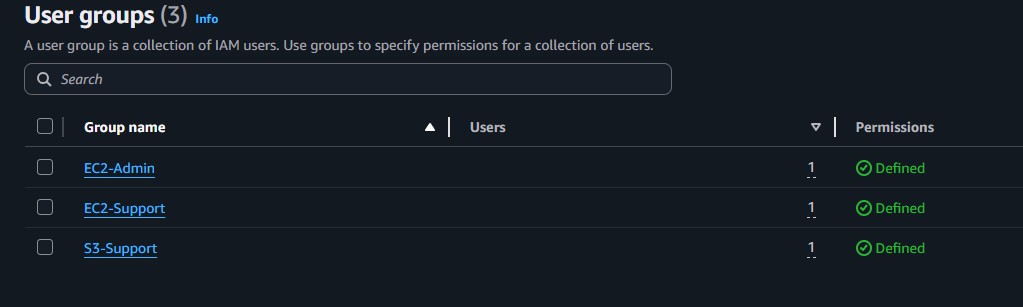
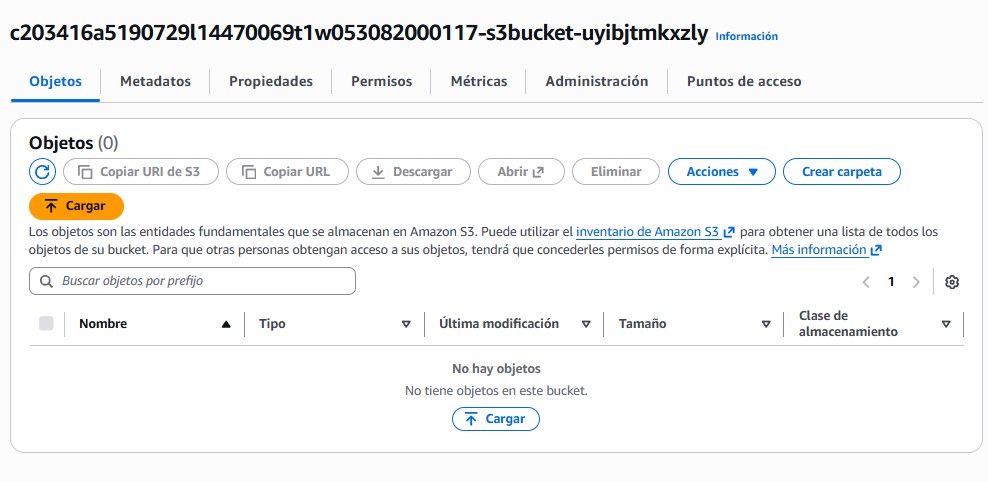
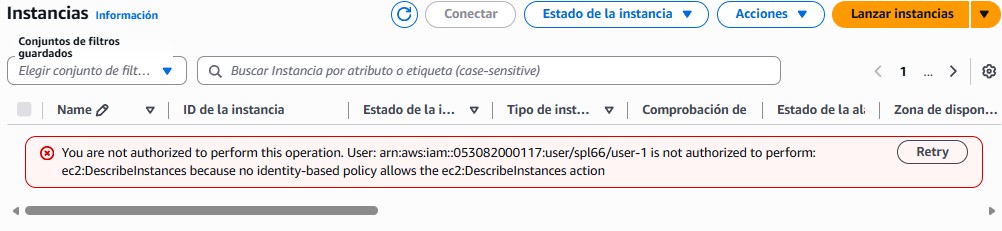
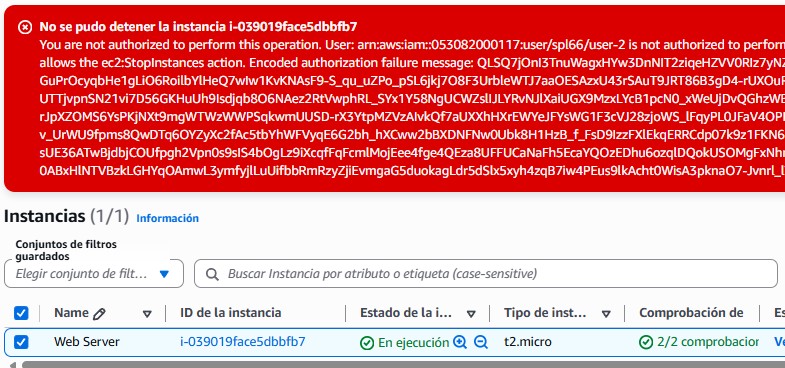
ec2:StopInstances action array map.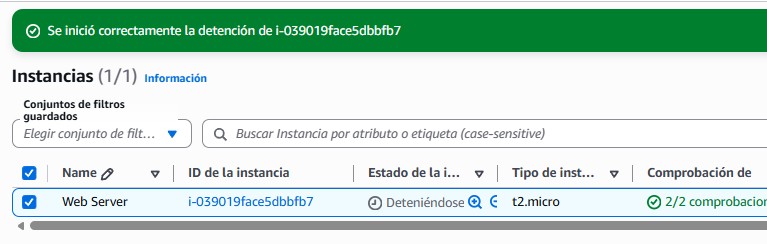
This lab underscored the importance of applying the Principle of Least Privilege in cloud environments. It highlighted a scalable approach by applying permissions directly to logical groups rather than individuals natively avoiding convoluted, contradictory, or abandoned direct permission mappings.
Understanding how to read JSON-structured policies, with their Effect, Action, and Resource blocks, is an instrumental skill for debugging API failures shown actively through simulated user testing in this lab exercise.