AWS re/Start Lab · Networking Support

Troubleshooting a Network Issue

This is a simulated Cloud Support scenario. A customer named Ana reached out because she successfully created an Apache server but is entirely unable to ping it or view her website via HTTP. The goal is to analyze her identical VPC, identify the blockers, and resolve the connectivity issue.

The Investigation Process

Following cloud support best practices, the troubleshooting started inside the operating system, then moved outward toward the internet gateway.

01

Verify the internal service state (OS Level)

Before assuming it's a network issue, the immediate priority was confirming if the Apache server (httpd) was actually running.

  • Logged into the EC2 instance via SSH.
  • Used sudo systemctl status httpd.service and found the service was inactive (dead). Ana had installed the software but never started the daemon.
  • Started it using sudo systemctl start httpd.service and validated the active (running) status.
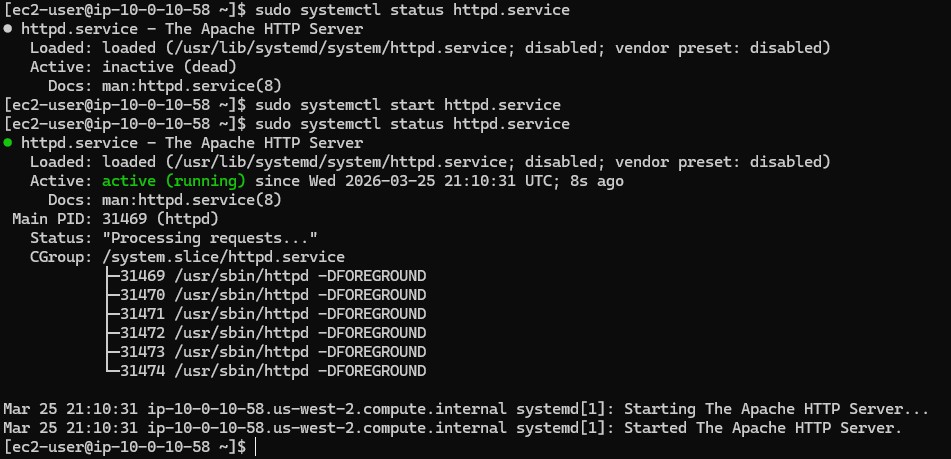
Result: Despite starting the service, browsing to the instance's public IP still failed. The issue extended beyond just the local software daemon.
02

Verify outbound network connectivity

Since the service was running but internally inaccessible from the outside, the next check was verifying if the instance itself could reach the open internet. This confirms the Route Tables and Internet Gateway are functioning.

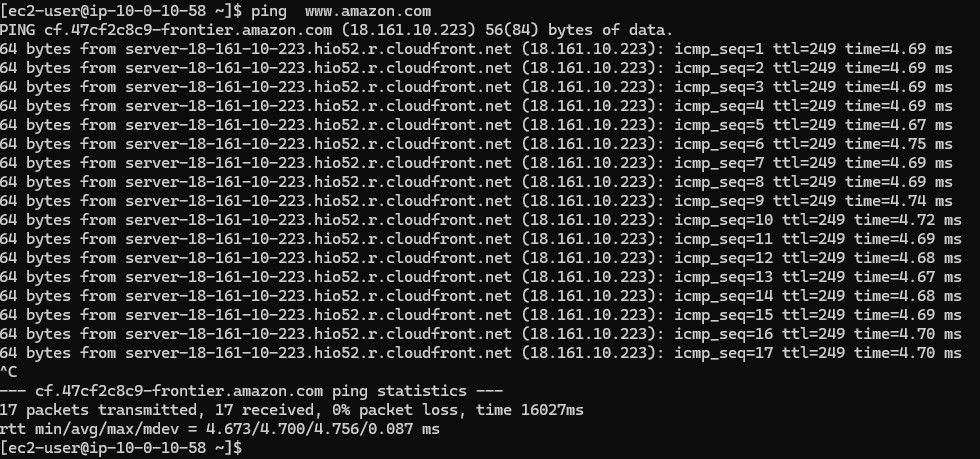
  • Executed ping www.amazon.com.
  • The ping succeeded with 0% packet loss, confirming the subnet's outbound route to the IGW was fully functional.
03

AWS Console: Security Rules Analysis

Since the OS was running the service and routing was functional, the blockage had to be an explicit deny or missing allow rule at the security perimeter layer.

  • Navigated to the VPC dashboard in the AWS Management Console to audit the network architecture.
  • Checked the Network ACLs: Default rules allowing all inbound/outbound traffic were in place.
  • Checked the instance's Security Groups: It was discovered that there was no inbound rule allowing HTTP traffic.

The Fix: Modified the relevant Security Group to allow Inbound TCP traffic on Port 80 from 0.0.0.0/0.

04

Final Verification

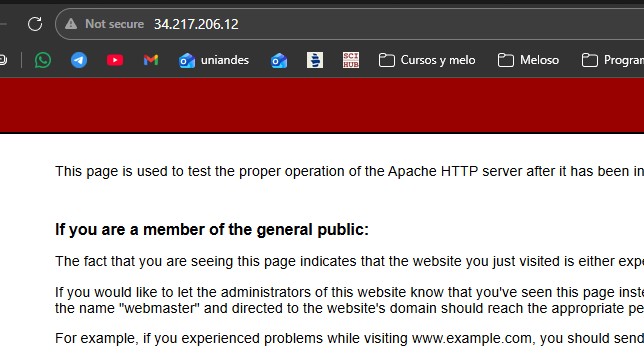
With the httpd service running natively and the Security Groups now correctly authorizing Port 80 ingress, the final step was testing external access.

  • Navigated to http://<PUBLIC IP OF INSTANCE> in the web browser.

Key Learnings

Diagnostic Checklist

Always verify OS-level systemctl status before troubleshooting external networks. A service can't communicate if it's dead.
Use outbound pings to rule out major structural issues like missing Internet Gateways or bad Route Tables.
If an instance can reach the internet but the internet can't reach the instance, the issue is almost always localized to Security Groups or Network ACLs restricting Inbound definitions.

Technical Conclusion

This scenario highlighted the common pitfalls of deploying web servers on AWS.

Ana encountered two separate but compounding issues: failing to initialize the software daemon (systemctl start) and failing to poke a hole in the default-deny architecture of AWS Security Groups (Port 80 Inbound). Systematic, localized testing prevented wasting time trying to redesign subnets or gateways that were already functionally correct.